Open this article in your favourite assistant
Get an instant summary, or save it as a source your AI can cite later.
Your Delhivery dashboard has 47 shipments sitting on "Delivery Attempted, Failed" right now. Seventeen of them are from Kanpur and Nashik, where your delivery agent marks NDR between 11am and 1pm because that is when working residents are not home. Eight are from a Rajkot pincode where your couriers have been inconsistent for three months. The rest are scattered: wrong address in Coimbatore, phone unreachable in a Pune suburb, premises locked in a Noida sector.
You have roughly 48 hours before most of these become RTOs. Your ops team will see the dashboard after their morning catch-up tomorrow and start calling. By then, two or three reattempt cycles will have already run.
This is the ops scenario that plays out for most Indian D2C brands doing 2,000 to 10,000 orders a month. Not because they do not care about NDR, but because NDR recovery has never been treated as a real-time problem. It gets managed as a daily ops task when it needs to be an automated response firing inside 60 minutes.
The math is not subtle. Industry data across Indian D2C platforms puts NDR-to-RTO conversion at 30 to 40% without intervention. With a tight WhatsApp-based recovery flow firing inside 30 minutes, brands recover 50 to 60% of NDR shipments instead of losing them. For a brand doing 4,000 orders a month with 20% NDR rate, that is roughly 800 NDR events a month. The difference between 15% recovery and 55% recovery is 320 extra deliveries per month. At ₹600 average order value, that is ₹1.9 lakh in recovered revenue, and another ₹50,000 to ₹80,000 in avoided reverse logistics cost.
This post covers the exact setup: when to trigger, what templates actually work (including Hindi and Hinglish versions), how to branch the re-attempt logic, when to escalate, and what metrics tell you whether your flow is performing.
What NDR actually is, and why WhatsApp is the right channel
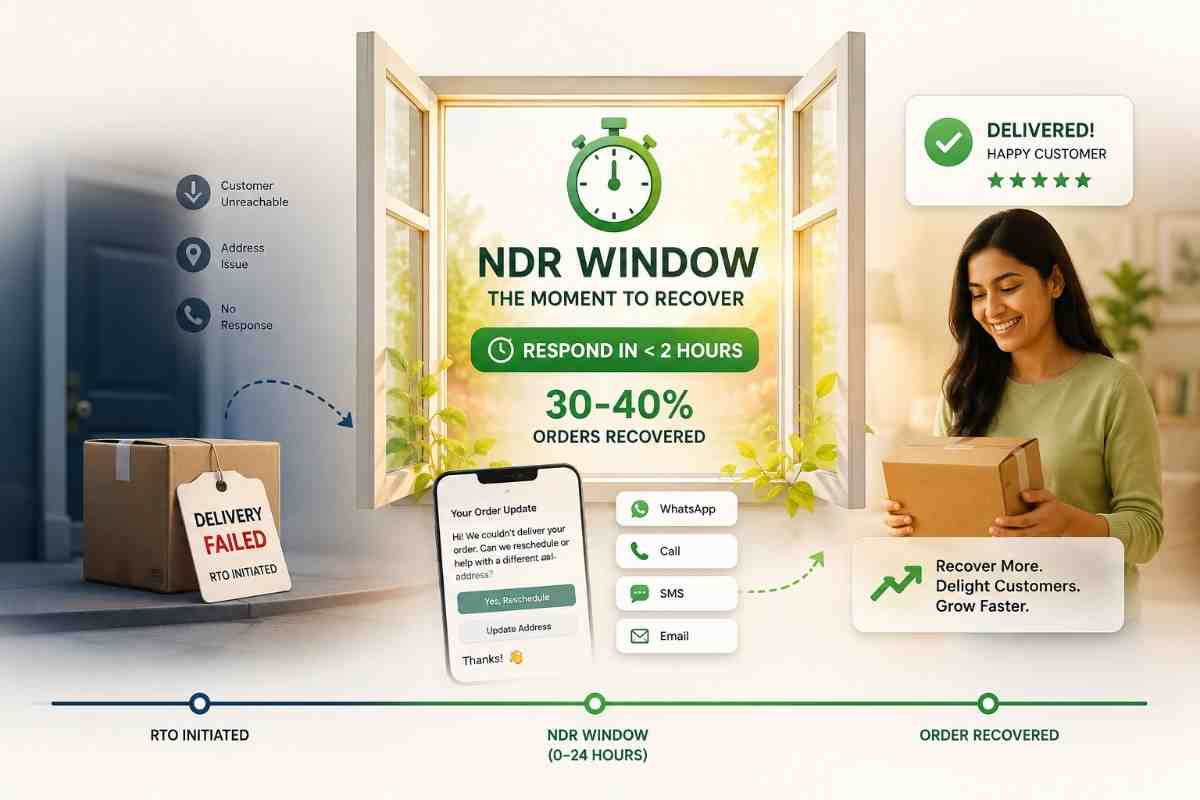
NDR (Non-Delivery Report) is the event a courier raises when a delivery attempt fails for any reason before the shipment is returned to origin. It is the window between "something went wrong" and "the package is permanently coming back." Every RTO starts as an NDR. Not every NDR has to become an RTO.
The typical Indian courier sequence: Day 0, first attempt fails, NDR raised. Day 1, automatic reattempt around 24 hours later. Day 2, second automatic reattempt if the first also failed. Day 3, shipment marked RTO and reverse journey begins. Couriers like Delhivery, Bluedart, XpressBees, and Ekart all follow roughly this pattern, though the exact timing varies by service tier and contract. You have about 48 to 72 hours. The first 2 of those hours are the most valuable.
WhatsApp is the right channel for three reasons specific to Indian buyers. First, open rate: WhatsApp utility messages run at 98% open rate in India, versus around 19% for SMS and under 25% for email. Second, speed: 95% of WhatsApp messages are read within 3 minutes of delivery. Third, two-way interaction: a WhatsApp message can carry quick-reply buttons, address update links, and slot-selection flows. SMS cannot.
The practical implication: if you send an SMS and a WhatsApp at the same time, the WhatsApp will be read first and acted on first in almost every case. SMS is useful as a fallback for customers without WhatsApp, in low-connectivity pincodes, or as a redundancy layer for high-value COD orders. WhatsApp is the primary channel.
The anatomy of a failed WhatsApp NDR flow
Most D2C brands doing some form of WhatsApp NDR follow-up are making the same set of mistakes. The mistakes compound: a slow trigger makes the template irrelevant; a generic template generates low response; low response means no customer-confirmed reattempt; no customer-confirmed reattempt means the courier runs their default timing and fails again.
Mistake 1: Triggering from a dashboard, not a webhook. If your NDR follow-up fires from a morning ops review or a scheduled job, you are already outside the recovery window for same-day shipments. Webhooks from Delhivery, Shiprocket, or ClickPost push NDR events within minutes of the courier scanning the shipment. Dashboard polling adds hours of latency. That latency is the most common root cause of underperforming NDR flows.
Mistake 2: One generic template for all NDR reasons. "Your delivery attempt was unsuccessful. Please contact our support team." This message does three things wrong: it does not tell the customer what to do, it does not reflect the specific reason for failure, and it routes the customer to a support team that cannot do anything faster than the automated flow anyway. A customer who could not be home at 11am needs to confirm an evening reattempt, not open a support ticket.
Mistake 3: Not holding the automatic reattempt. If you send a WhatsApp asking the customer to confirm a new time, but the courier simultaneously runs their automatic reattempt at the same time of day as the original failure, the reattempt will fail again. You need to pause the automatic reattempt for 12 to 18 hours while you wait for customer response. Most courier APIs support this. Most brands do not use it.
Mistake 4: No response handling. A WhatsApp flow that waits indefinitely for a reply is not a flow. You need: a 6-hour fallback to SMS if no WhatsApp response, a 12-hour default to evening reattempt if no response on any channel, and a 24-hour escalation flag for the ops team if the NDR is still unresolved. Without these, your "automated" flow stalls at exactly the cases that need the most help.
Mistake 5: Not branching by reason code. A customer who was not home needs a different message than a customer whose address the courier could not find. Sending the same template to both is both less helpful and less likely to convert.
Step-by-step setup: how to build a WhatsApp NDR recovery flow that works
Step 1: Trigger point, the 60-minute rule
Your trigger window is 30 to 60 minutes after the NDR event fires. Not 24 hours. Not end of day. The recovery curve from Indian logistics data looks like this:
| Response time after NDR | Recovery probability |
|---|---|
| Within 30 minutes | 40 to 55% |
| 30 minutes to 2 hours | 30 to 40% |
| 2 to 6 hours | 20 to 30% |
| 6 to 24 hours | 10 to 20% |
| 24+ hours | Under 10% |
Getting into that 30-minute band requires a webhook-based setup, not dashboard polling. Here is how to connect it:
For Delhivery: register an endpoint URL with your Delhivery tech account manager. They POST shipment status events (including NDR) to your URL as they happen. Typical latency from courier scan to webhook delivery is 5 to 15 minutes.
For Shiprocket: use the Shiprocket webhook settings in your dashboard (Settings > Webhooks). Events cover Delhivery, Bluedart, Ekart, XpressBees, and all couriers in the Shiprocket network through one endpoint. This is the fastest setup if you are already on Shiprocket.
For ClickPost or Shipway: both expose unified multi-courier NDR webhook feeds with normalised reason codes across couriers. This is the cleanest option if you are working with multiple couriers directly and do not want to normalise reason codes yourself.
Once the webhook fires, your system should check the reason code, route to the correct message template, and trigger the WhatsApp send within the same minute. Every minute of processing delay is a minute of recovery window used up.
Step 2: Message templates for English, Hindi, and Hinglish
Template approval through WhatsApp BSPs (Interakt, WATI, AiSensy) takes 24 to 72 hours. Build and approve these before you need them, not during an NDR spike.
The core template structure for "customer not available" NDR (your largest recoverable bucket):
English template:
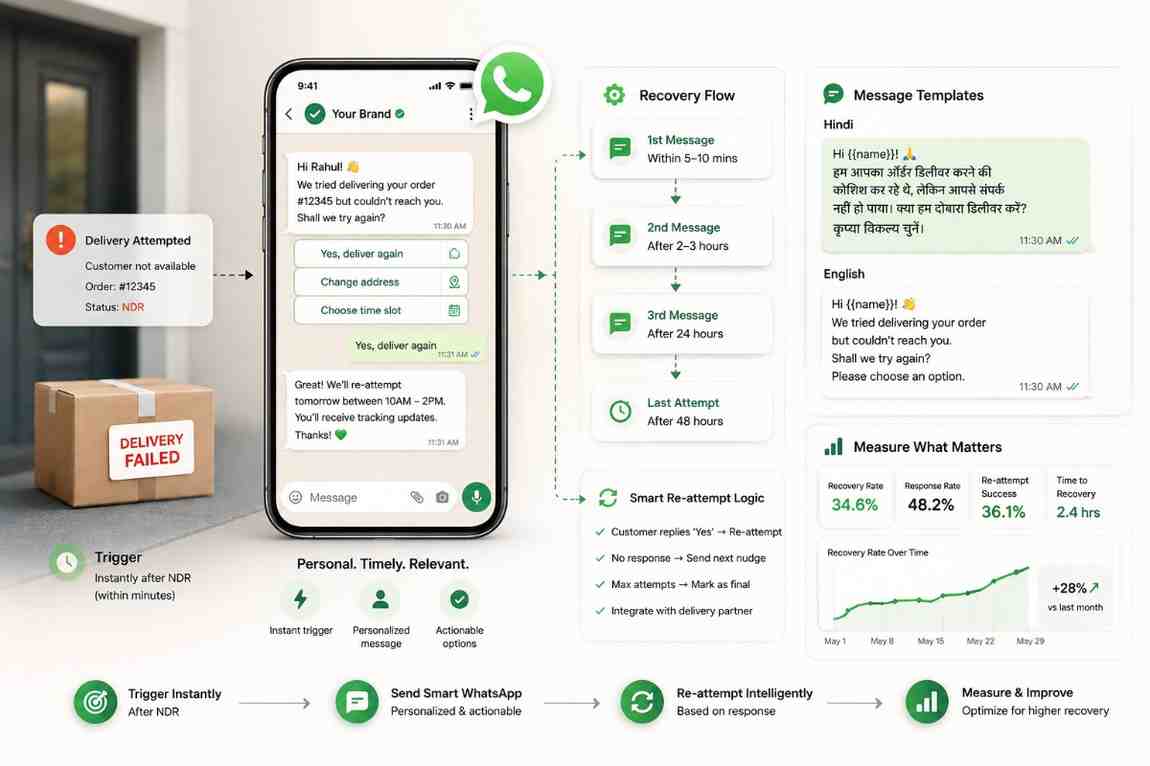
"Hi {{1}}, we tried to deliver your order #{{2}} at {{3}} today but couldn't reach you. Our delivery agent can try again between 5pm and 8pm today. Reply YES to confirm, or send a time that works better for you."
Hinglish template (for Tier-2/3 pincodes including Nashik, Kanpur, Rajkot, Coimbatore):
"Hi {{1}}, aapka order #{{2}} aaj deliver nahi ho saka. Aap ghar par nahi the. Kya hum aaj shaam 5 baje se 8 baje ke beech dobara deliver kar sakte hain? Confirm karne ke liye YES bhejein, ya alag time batayein."
Hindi (Devanagari, for BSPs that support it):
"नमस्ते {{1}}, आपका ऑर्डर #{{2}} आज डिलीवर नहीं हो सका। हम आज शाम 5 से 8 बजे के बीच दोबारा कोशिश कर सकते हैं। कन्फर्म करने के लिए YES भेजें।"
Template for address-not-found NDR:
"Hi {{1}}, our delivery agent couldn't locate your address for order #{{2}}. The address we have is: {{3}}. Could you send your flat/house number and a nearby landmark? We'll redeliver as soon as we have it."
Notice what each template includes: order number (customer anchors to a specific purchase), address reflected back (catches errors), reason in plain language (not "NDR Code 4"), and a specific action with one-tap response. Skip any of these and your conversion rate drops.
Do not use a single template for all NDR reasons. Build separate approved templates for: customer not available, address not found, phone unreachable (email or alternative contact request), and external delay (passive update, no action needed). Each reason code in your webhook payload maps to one template.
Step 3: Re-attempt logic, handling what the customer says
Once the message is sent, you need to handle three outcomes: confirmation, slot change, and cancellation request. Each needs its own branch.
Branch A: Customer confirms the evening window. Immediately push the confirmed time to the courier via the NDR action API. For Delhivery, use the NDR Package Action API to update the reattempt time and add a note to the AWB. For Shiprocket, update via the NDR action endpoint. For ClickPost, use their single "update reattempt instruction" call that propagates to the underlying courier. Add the note as a specific time range ("please deliver 5pm to 8pm") not as "evening." Send the customer a confirmation WhatsApp: "Confirmed. We'll deliver between 5pm and 8pm today."
Branch B: Customer requests a different time or day. Collect the slot. "Kal subah 10 baje" or "Tomorrow after 6pm" are common responses. Parse the requested time. If it is within 48 hours, update the AWB and send a confirmation. If it is beyond 48 hours, flag for manual ops review because most courier SLAs do not support holds that long. The courier will need a specific instruction rather than an automated AWB update.
Branch C: Customer wants to cancel. Send one retention message before confirming. Keep it short and give a real incentive, not a placeholder discount code. "We understand. Can we offer a 5% discount on this order if you're still interested? [Yes, keep the order] [No, please cancel]." If they confirm cancellation, process it same day. Do not drag it out. A delayed cancellation creates both bad CX and a higher chance of a payment dispute on prepaid orders.
No response handling: This is where most WhatsApp flows fail silently. Set three fallback rules:
- 6 hours with no WhatsApp response: send an SMS fallback with the same core message and a phone number to call back.
- 12 hours with no response on any channel: release the AWB hold and default to evening reattempt window (5pm to 8pm). Log the shipment as "auto-defaulted."
- 18 hours with no response: flag for ops team. These are the NDRs that need a human decision.
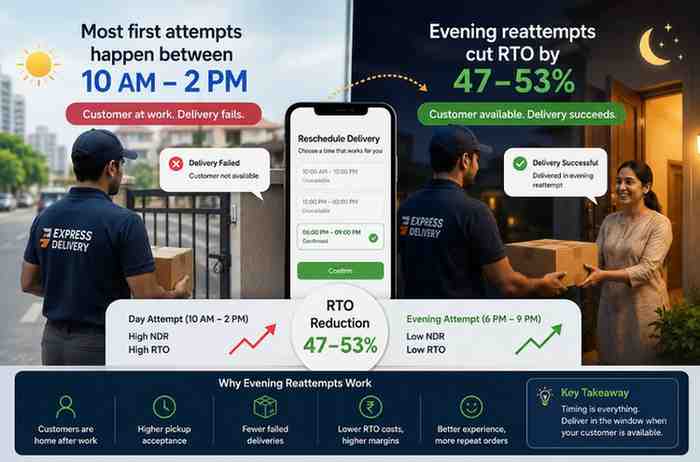
The 12-hour default-to-evening rule is important. A reattempt running at the same time of day as the failed attempt will fail again. The evening default shifts timing without requiring customer input, which raises reattempt success meaningfully compared to the courier's standard default.
Step 4: Escalation. When to stop automating and flag for review
Automation is not the answer for every NDR. Flag for manual ops review when any of these conditions are true:
- Address change to a different pincode. If the customer replies with an address that has a different pincode from the original, the shipment may need to be recalled and re-dispatched, not just re-attempted. This is a courier ops decision, not a WhatsApp flow decision.
- Repeat NDR customer. If a customer has NDR-ed on two or more previous orders, a third NDR is likely a behaviour pattern (buyer's remorse, testing the system, or chronic unavailability). The ops team should decide whether to attempt delivery again or process a cancellation to avoid a third NDR cost.
- High-value COD above ₹2,000. At this order value, the reverse logistics cost of a third failed attempt is high enough to justify a phone call from ops rather than another automated message. A real conversation converts better on high-value orders.
- The customer has responded but the message is ambiguous or in an unsupported language. If the customer sends a response your parser cannot categorise, route it to the ops queue. Do not let it sit unread.
The escalation queue should have a 2-hour SLA during business hours. NDRs flagged after 6pm can roll to next morning without material recovery impact, because courier reattempts do not typically run past 7pm.
Step 5: Measuring success
Track these four numbers every week. Without them you cannot tell whether your flow is actually working or just generating WhatsApp sends.
| Metric | What it tells you | Target (60 days in) |
|---|---|---|
| Median trigger latency | How fast your webhook fires and message sends | Under 30 minutes |
| WhatsApp response rate | Template quality and customer relevance | 30 to 45% |
| NDR-to-delivery recovery rate | Overall flow effectiveness | 40 to 55% |
| Recovery rate by reason code | Which NDR types your flow handles well | 55%+ on "not available" |
If trigger latency is under 30 minutes but response rate is below 20%, your templates need work. If response rate is healthy but recovery rate is low, the problem is in your re-attempt logic or courier AWB update. If recovery rate is good on "not available" but poor on "address not found," you need a better address-correction flow. The metrics isolate exactly where the break is.
Track recovery rate by reason code, not as a single aggregate. An aggregate NDR recovery rate of 40% could mean 60% on "not available" and 10% on "address not found." Those two problems need different fixes. The aggregate hides both of them.
Benchmarks: what good WhatsApp NDR recovery looks like
Here is what to calibrate against. These ranges are drawn from Indian D2C logistics data and operational benchmarks.
| Metric | Getting started (0-30 days) | Tuned (60-90 days) | High performer (6 months+) |
|---|---|---|---|
| WhatsApp response rate | 15 to 25% | 30 to 40% | 40 to 50% |
| Overall NDR-to-delivery recovery | 20 to 35% | 40 to 55% | 55 to 65% |
| "Not available" recovery rate | 30 to 45% | 50 to 65% | 65 to 75% |
| "Address not found" recovery rate | 15 to 25% | 30 to 45% | 45 to 55% |
| Trigger latency (median) | Under 2 hours | Under 1 hour | Under 30 minutes |
The jump from "getting started" to "tuned" comes almost entirely from two changes: getting trigger latency under 60 minutes, and switching from a generic template to reason-code-specific templates. The jump from "tuned" to "high performer" takes another 4 to 6 months of template iteration, Hinglish testing, and pincode-level timing rules.
Recovery rates above 65% are rare. They usually involve a checkout-level component as well: NDR volume is 30 to 40% lower to begin with because address validation and COD verification are catching the most failure-prone orders before they ship. If you are recovering 65% of NDRs but still generating 25% NDR rate, the upstream prevention work will have more impact than further recovery tuning.
How Raj handles this automatically
OneflowAI's NDR agent, Raj, is built specifically for Indian D2C brands on Shopify. Raj connects to Shiprocket, Delhivery, Bluedart, and XpressBees webhooks, receives NDR events within minutes of the courier scan, and fires the correct WhatsApp template (in English or Hinglish, depending on pincode tier) within 30 minutes. No dashboard. No morning ops review. No manual triggers.
When a customer confirms an evening slot, Raj updates the AWB via the courier's NDR action API and sends a delivery confirmation. When a customer sends back an address correction, Raj routes it to the ops queue with a 2-hour SLA flag. When there is no response after 12 hours, Raj defaults to the evening reattempt window and logs the shipment as auto-defaulted. The reason-code routing, the fallback SMS, the escalation rules, and the weekly recovery metrics are all included.
Brands using Raj typically see median NDR trigger latency drop to under 15 minutes within the first week, and overall NDR-to-delivery recovery reach the 50%+ band within the first 30 days.
Frequently asked questions
How quickly should I send a WhatsApp after an NDR?
Within 30 to 60 minutes. Recovery probability drops sharply after 2 hours. Brands responding inside 2 hours recover 30 to 40% of failed deliveries. Brands waiting 24 hours recover under 10%.
What should a WhatsApp NDR message include?
Order number, exact address on the AWB, reason for failure in plain language, a specific reattempt window, and one-tap actions (confirm, change time, update address). Generic messages convert at one-third the rate of specific ones.
Which couriers support NDR webhooks in India?
Delhivery (direct webhook via tech team), Shiprocket (unified API covering Delhivery, Bluedart, Ekart, XpressBees), ClickPost and Shipway (multi-courier unified feeds with normalised reason codes).
Should I send WhatsApp in Hindi or English for Tier-2 and Tier-3 customers?
Hinglish (Hindi words, English script) typically outperforms both pure Hindi and pure English for customers in Nashik, Kanpur, Rajkot, and Coimbatore. It feels less formal than pure Hindi and more familiar than English. Test both and compare response rates over 30 days.
What is the best reattempt window to offer?
5pm to 8pm as the default. It is after office hours, before dinner, and when most working-age buyers are home. Always give the customer a way to pick a different time. Customer-confirmed reattempts succeed at roughly double the rate of unconfirmed automatic ones.
What response rate should I expect?
30 to 45% within 2 hours of sending, for well-crafted specific templates. WhatsApp open rates in India run at 98% so low response rates are almost always a template quality problem, not a channel problem.
How do I handle a customer who wants to cancel?
Send one retention message with a real incentive (5% discount, free next delivery). If they confirm cancellation, process it same day. Do not drag it out. Delayed cancellations create bad CX and payment disputes on prepaid orders.
What NDR recovery rate should I target?
35 to 45% within the first 60 days. 55 to 65% after six months of tuning. Track recovery by reason code, not as a single aggregate.
Can I do this without a developer?
Under 1,000 orders a month: yes. Use Shiprocket or ClickPost built-in NDR workflows paired with Interakt, WATI, or AiSensy. Above 2,000 orders a month, reason-code routing and AWB update logic typically needs 5 to 10 hours of one-time developer work plus ongoing tuning.
What does an NDR cost if it becomes an RTO?
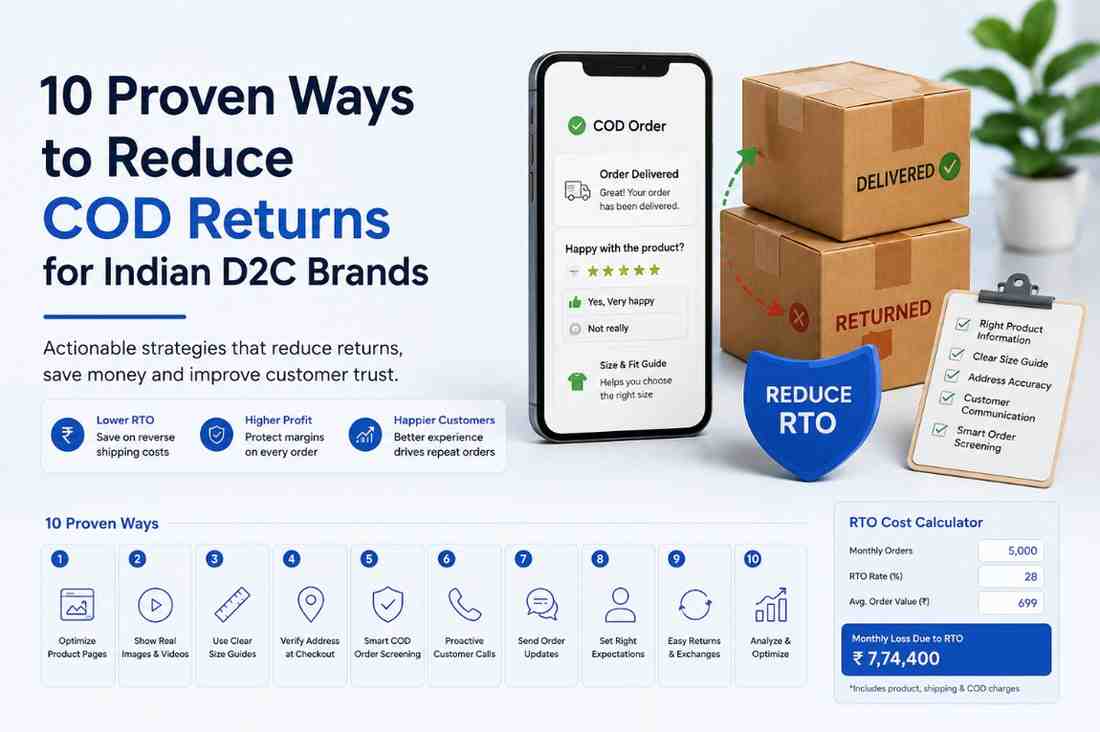
₹180 to ₹240 per RTO in combined forward shipping, reverse logistics, and handling. NDR recovery interventions (WhatsApp message plus courier reattempt instruction) cost ₹15 to ₹20. The return on prevention is 9 to 16x.
- WhatsApp Business India usage statistics

Omkar Kamble builds OneflowAI, which shows consumer brands what every order really earned after RTO, freight and COD. These guides come from real order and courier data, not theory. Figures we cannot independently verify are flagged.
Published 21 May 2026 Last reviewed 21 May 2026 14 min read